This page applies to any SPT version
¶ Installation
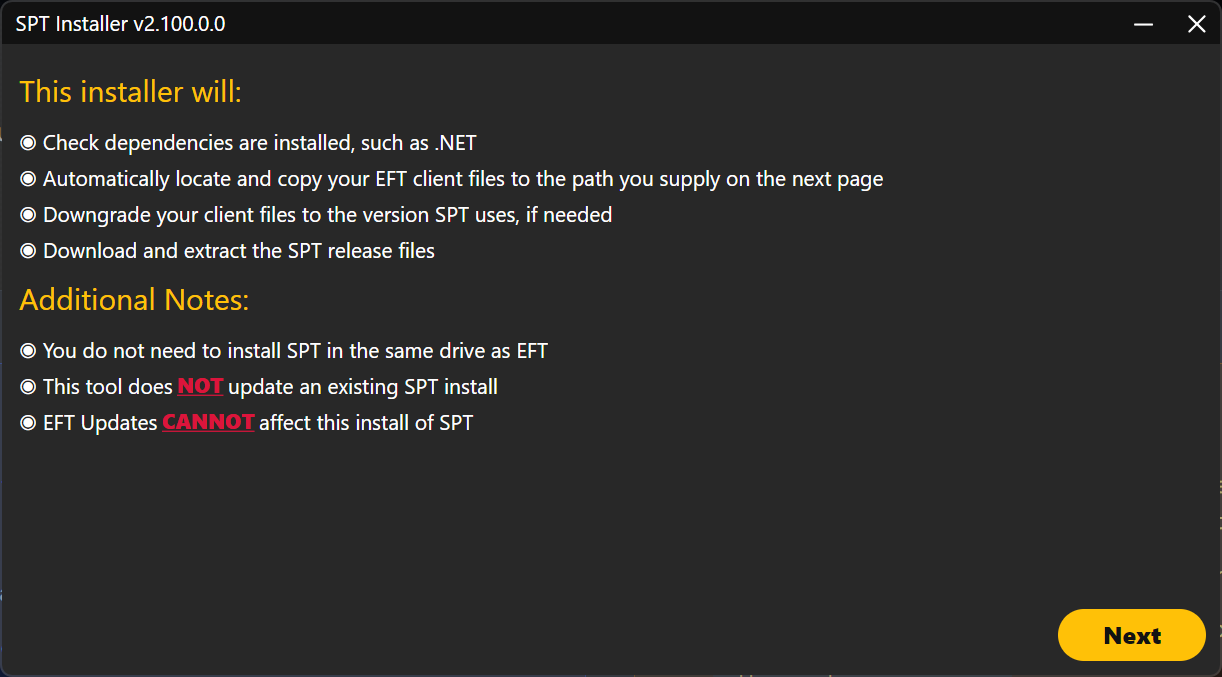
- The SPT installer makes a copy of your EFT files, and if necessary, automatically downgrades them to an older version.
- The installer always installs the latest version of SPT.
- Each SPT version is made for a specific version of EFT. You can see what version of EFT is used on that SPT version’s Release page.
- This means that, once installed, SPT is completely seperate from your EFT files. You can update EFT as much as you want, and it will not affect your SPT install.
- After you install SPT, you cannot completely uninstall EFT, but you can delete the
EscapeFromTarkov_Datafolder from your live EFT folder if you really need the space. - If you own EFT through Steam you will need to disable auto-updates for EFT to prevent Steam from re-downloading said folder.
- After you install SPT, you cannot completely uninstall EFT, but you can delete the
- Once installed, you can freely copy, move or delete your SPT install.
- If you make a copy of your SPT, you will need to tweak the shortcuts inside it, as they will be pointing towards the original SPT folder.
- The SPT developers need to make a new SPT version to include new content released for EFT. No deadline is given, but it usually takes several month. A new SPT version is usually announced a week before release.
For a guide on installing SPT, see the Installation Guide page.
¶ Can I get banned?
- You cannot get banned for using SPT so long as you don’t run SPT and EFT at the same time, that includes the launcher.
- Don’t install SPT to the same folder as Live EFT.
- Don’t brag to Nikita himself or flaunt it in their Discord while screaming your Live EFT username.
- You can play EFT whenever you want so long as you’re not also running SPT.
We have no verified reports of people being banned on Live EFT just for playing SPT. Many developers for SPT would be banned on Live by now if this were true.
¶ Updates
- Your SPT can be updated between hotfix versions (e.g.:
4.0.1→4.0.4) by simply applying the new release files to your existing SPT install. There is no need to install a new copy of SPT. - You cannot update an older version of SPT (e.g.:
3.11.4→4.0.0). You have to install a new copy of SPT. You don’t need to delete your old install. - Your profiles will work on a new hotfix version.
- All mods made for an older hotfix version will should work on a newer one. So a mod made for
4.0.0should work on4.0.4. - Mods not made for the version of SPT you have installed will not work. A mod made for
3.11.4will not work on4.0.4.
For a guide on updating SPT, see the Updating SPT page.
¶ In-game
- When creating a profile, you can choose any edition you want. It’s not limited to the EFT edition you own.
- SPT has all the functionality of EFT’s PvE mode:
- All quests, items and traders are available (for the version of EFT that SPT is using).
- Flea market is emulated with randomly generated offers.
- All progress you make is saved on a raid’s end.
- AI PMCs will gain better gear as you level up.
- SPT uses EFT’s practice raid system to work. This means that you’re always running a “practice raid”, however your loot and quest progress will get saved.
- Practice mode’s settings will apply to your raids.
- If you Alt + F4 or crash in the middle of your raid, no progress will be saved. It will be as if the raid never happened.
- You do not need to have your SPT server running for insurance, flea, or Hideout crafts to continue. Once you reopen SPT, those will “catch-up” to where they should be.