This page applies to any SPT version
¶ Version numbers
SPT follows the Semantic Versioning schema for its version numbers, which works as follows:
SPT Version X.Y.Z
X = Major update
- A large refactor of SPT or EFT
- Requires reinstalling SPT anew
- Old mods won’t work
- Unmodded old profiles might work
Y = Minor update
- A new version of EFT is being used
- Requires reinstalling SPT anew
- Old mods won’t work
- Unmodded old profiles might work
Z = Patch/Hotfix
- Bug fixes for the previous Minor version
- Generally doesn’t require a reinstall
- Generally works with mods made for the previous hotfix version
- Old profiles will work
- Can be used to update your SPT if it’s on the same Minor version
You can always check if a hotfix patch will be compatible with your installed mods on the Release page:
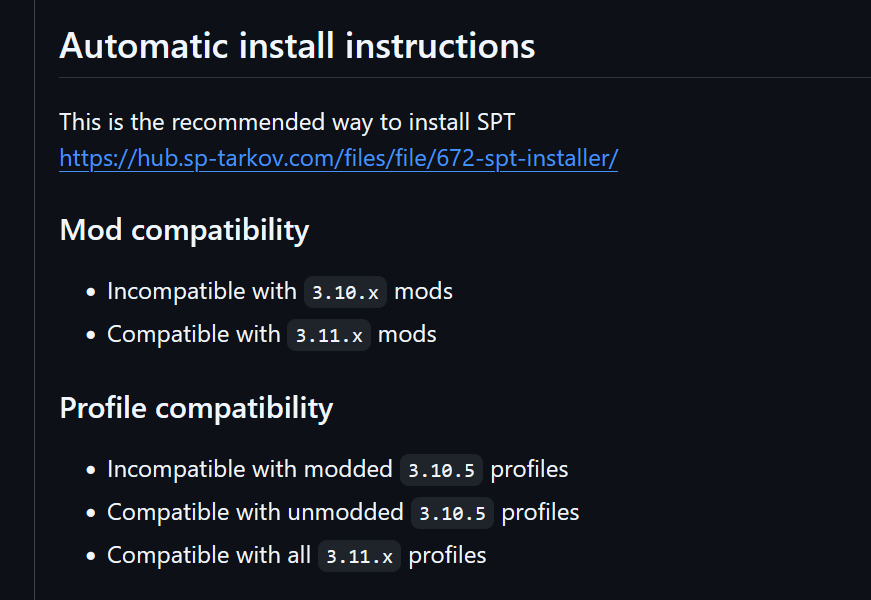
Example of the compatibility section for SPT 3.11.3.
¶ Updating to a new hotfix patch
This method can only be used to update to a new hotfix patch. An update from ex.
3.11.4 > 4.0.0requires a new install of SPT.
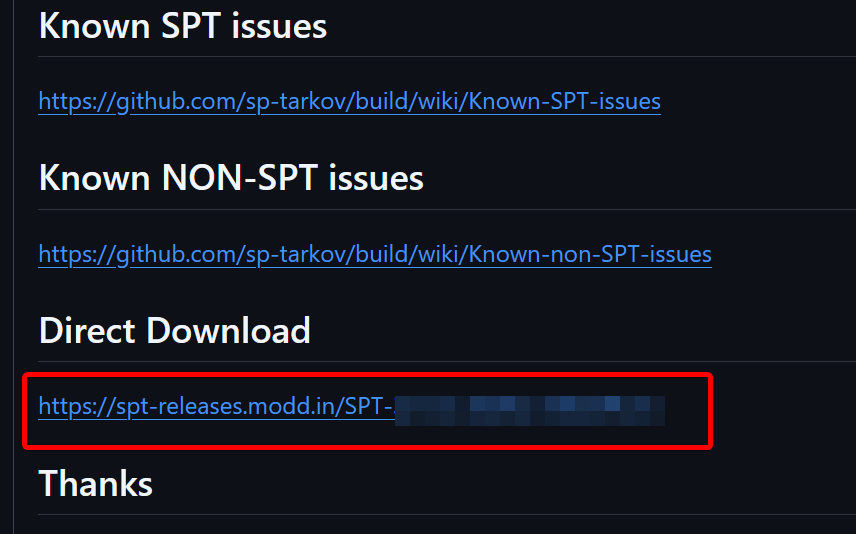
- Download the SPT files from the Direct Download section at the bottom of the Release page (requires 7zip).
- Close your game, launcher, and server.
- Copy contents of the 7z file into your existing folder, overwrite all files.
- Update all of your mods to their latest release versions.
- Mods made for previous hotfix versions should work on the latest version. Those that don’t might have received an update to address that.
- You can use a tool like Check Mods to see which of your mods require updating.
This will only overwrite base SPT files. It will not overwrite or remove your profile(s), mods or mod configs.
¶ Replacing files
When you drag and drop a folder into a directory, which has the same named folders/files, it will merge them and overwrite only duplicate files. It will not delete any non-duplicates.